



Whether the economy booms or busts finding ways to save money is a sure-fire way to get better control of your finances and build the future of your dreams.
It may sound like an exaggeration, but if you implement each of our top 11 biggest ways to save money, you can save an incredible $3,155 per month!
That’s an ideal savings scenario that assumes all 11 spending categories apply to you. But even if only three or four do, you can still save hundreds of dollars per month. And as you do, there will be very real potential to increase your net worth by hundreds of thousands of dollars in the coming decades.
Interested? Check out our list of what you can expect to find in this guide – we’ve come up with 85+ strategies and tips in all.
While you work to save money and secure your financial future, check out our suggestions on ways to make money and passive income strategies.
Table of Contents
How to Think About Saving Money
Most people probably think of ways to save money as being something like going on a financial diet. That can certainly be the case, but it doesn’t have to be.
Finding ways to save money is really about implementing workable strategies. That’s easier to do when you set priorities.
Here’s what we suggest:
Inventory Your Expenses. Before you can find ways to save money, you first need to understand exactly where you’re spending. That comes with setting up a budget, which we’ll cover in Strategy #10 below.
Prioritize Cutting the Biggest Expenses First. You’re probably familiar with the “80/20” rule. It holds that 80% of your progress is going to come from 20% of your activities. That’s true of saving money, too. Cutting the biggest expenses will produce the biggest savings. That’s why we’ve begun our list with The Top 11 Biggest Ways to Save Money. Implement a few of those, and saving money is likely to be easier than you think – and more automatic.
Then Look For “Easy Wins”. Beyond finding ways to save money with your largest expenses, you can often make cuts in spending by eliminating any purchases or services you’re not likely to miss. This can include cutting subscriptions you no longer need. It’s about making cuts in a series of expenses that can add up to a lot of savings.
Stack Your Savings. This is all about automating your savings. That is, you look for ways to save money on a permanent basis. You can do that by refinancing debt into lower-interest-rate loans, cutting insurance costs, or even investing your money more intelligently.
Newsflash: You Can Negotiate Bills! It’s often possible to negotiate lower costs for different services. Not everyone is comfortable with the negotiation process, especially with service providers whose personnel are programmed to say “no.” Not to worry! There’s an app called Recoup that will handle the negotiations for you.
They can help you lower costs for banking, credit cards, and subscriptions from more than 1,000 providers and 1 million merchants. All you need do is connect your service providers to the app, and Recoup will get to work. That’ll make the whole job of negotiating easier for you.
The Power of Compound Money-Saving
Saving Money Gives You a Tax Advantage.
A dollar saved is worth more than a dollar earned. Why? Because you’ve already paid taxes on that dollar, so, it’s actually worth a dollar. That’s a big part of why having a solid saving strategy can benefit you in the long run.
Saving Money Begets Saving Money.
Once you start finding ways to save money (and watching your bank account grow), it will start to become habitual. It’s a mindset shift that allows you to reevaluate certain practices and habits in your life to benefit your future financial security.
Compounding Works for Small Amounts or Large Amounts.
As you cut expenses, you’ll gradually direct your cash flow into savings and investments, where it’ll start working for you.
Example: If you cut an expense by $100 per month, that’s $1,200, you can move into an income-generating investment account. Invested over 30 years in a mix of stocks and bonds averaging 7% per year, your $100 per month savings can grow to more than $117,000!
That means saving just $3.33/day equals a six figure nest egg over 30 years.
In the next section, we’re not only going to show you the 11 biggest ways to save money but also how each will increase your net worth in the next 30 years.
When you see the numbers, you’ll have all the motivation you’ll need to get started implementing at least some of these strategies.
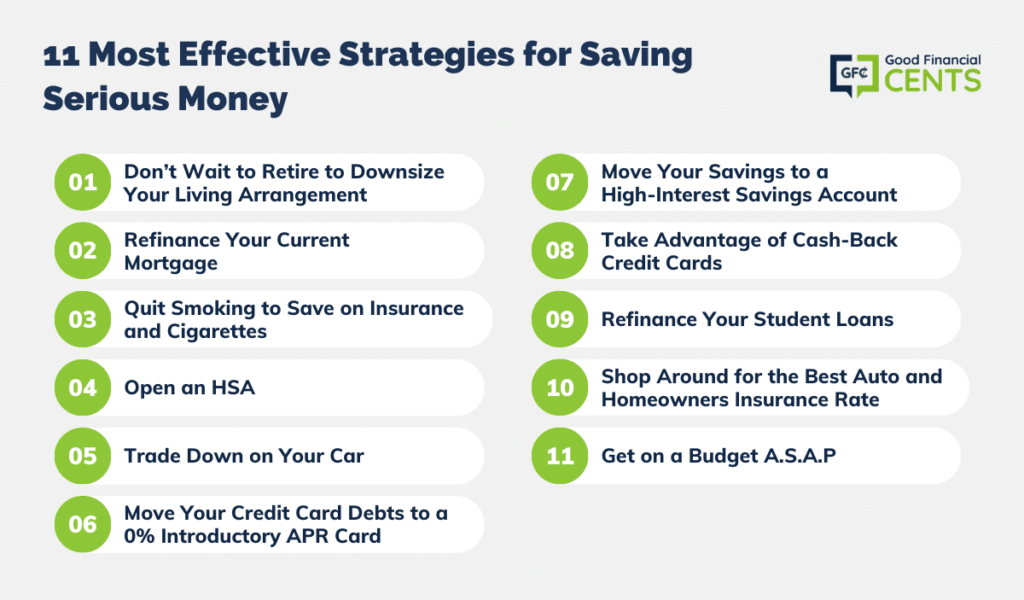
The 11 Most Effective Strategies for Saving Serious Money
Though we’re listing over 85 super easy ways to save money in this article, let’s start out with the biggest and best ways to save money. You’ll probably save more money if you implement these strategies than you will with the other 75+ combined.
Some of them are pretty radical, and you may not be ready to take the plunge. But if you’re serious about saving money – and especially if you plan to join the F.I.R.E. movement – you should seriously consider all of them.
After each of the top 11 ways to save money, we’re going to include the long-term investment impact of the money you can save. When you see just how large those numbers can be, you’ll have all the incentive you’ll need to make at least some of these changes.
And you may even find you’ll make enough progress with these strategies that you won’t even need to implement the remaining 75+!
1. Don’t Wait to Retire to Downsize Your Living Arrangement
This is one of the most popular strategies to lower living expenses in retirement, but it works just as well between now and then. After all, housing is typically the single biggest expense most people have. Cutting it in a major way can be the equivalent of reducing or eliminating 15 or 20 other expenses.
Let’s crunch the numbers and see why this is true.
Let’s assume you currently live in a 5,000-square-foot home that you purchased for $500,000 with a $400,000 mortgage. For simplicity’s sake, we’ll assume both numbers still apply now.
At an interest rate of 3.50% on a 30-year loan, the mortgage payment is $1,796 per month. Assuming $800 per month for property taxes and $200 for homeowner’s insurance, your total monthly payment is $2,796.
But let’s assume your family of four could be perfectly comfortable in a 3,000-square-foot home that you can buy for $300,000.
With a 20% down payment ($60,000), you’ll have a $240,000 mortgage. At 3.50% for a 30-year loan, the monthly payment will be $1,077. Assuming $500 per month in property taxes and $100 for homeowner’s insurance, your total monthly payment will be $1,677.
The monthly cost of the $300,000 home will be lower than the $500,000 home by $1,119 per month.
How It Will Increase Your Net Worth: That’s $13,428 per year. And we haven’t even considered the effect the extra $40,000 that you didn’t put down on the $300,000 house will have on your cash flow and future savings. Nor the lower costs for utilities and maintenance expenses that you’ll get from living in a smaller house.
Now, let’s get a little bit crazy. If you were to follow this strategy and invest the $13,428 in yearly savings into an investment account paying an average annual return of 7%, you’d have $1,316,024 after 30 years.
What to Do Next: Understand your home’s value by using an online home appraisal tool to start the process of selling and downsizing.
2. Refinance Your Current Mortgage
In the first strategy, I recommended downsizing your living arrangement for the single biggest savings benefit possible. But if you’d rather not take such a drastic step, you can still save a lot of money by doing a refinance of your current mortgage.
It’s another passive strategy that can save you many thousands of dollars just for taking a simple step now that will save you money for years.
How It Will Increase Your Net Worth: Let’s say two years ago, you took a 30-year mortgage for $300,000 at 4.5%. The current principal and interest portion of your house payment is $2,026 per month.
But if you can refinance the same loan at current rates – which are trending around 3.50% – you can lower that payment to $1,796 per month.
That will save you $230 per month or $2,760 per year. In addition to being a welcome reduction in your monthly expenses, it also holds long-term investment potential.
If you invest $2,760 in annual savings each year at an average return of 7%, you’ll have an additional $270,503 saved after 30 years.
Alternatively, you can apply the additional interest savings to your monthly payments and reduce your mortgage term by six years and 10 months.
What to Do Next: Compare rates from the best mortgage lenders, and if you qualify, refinance your current mortgage today.
3. Quit Smoking and Save Thousands on Health and Life Insurance – And Cigarettes
The cost of cigarettes alone makes it a rich source of saving money. Considering that cigarettes average about $7.65 per pack across the US, according to the CDC, a one-pack per day habit will set you back $2,792 per year.
And that’s just the beginning. Smoking has a dramatic impact on the cost of both health and life insurance.
Did you know smoking increases your health insurance premium by 50% under the Affordable Care Act? If your employer-sponsored plan costs you $600 per month for your portion, it would be only about $400 if you were a non-smoker. That’s an extra cost of $200 per month or $2,400 per year.
The situation is even more dramatic with life insurance. The cost of a 20-year term life insurance policy is $500,000 for a 30-year-old, and that can be $20.88 per month for a non-smoker but $77 for a smoker. That’s a difference of more than $56 per month or $672 per year.
You can eliminate the cost of cigarettes just by quitting. But you can also lower your life and health insurance premiums by joining a smoking cessation program. If you do, make sure it’s approved by the insurance companies. You’ll typically need to be in the program and smoke-free for at least two years before you’ll get a break on your premiums.
But as you can see from the annual savings and the future investment potential, quitting and joining a smoking session program will be well worth the effort.
How It Will Increase Your Net Worth: When you add the three numbers together – $2,792 is the cost of cigarettes, plus $2,400 for the higher health insurance premium, plus $672 for the higher life insurance premium – the total cost of a smoking habit is $5,864 per year.
That’s nearly enough to fully fund an IRA contribution each year for the next 30 years. If that money were contributed to an IRA – instead of to a cigarette habit – it would grow to more than $574,700 in 30 years, invested at an average annual return of 7%.
What to Do Next: Check out an approved smoking cessation program with your life and health insurance carrier and get quitting today.
4. Open an HSA
We’re definitely targeting healthcare costs, and for good reason. If housing is the highest expense in most households, healthcare – including health insurance – runs a close second.
Other than quitting smoking, there’s not a whole lot you can do to lower your health insurance premiums. But with so many health insurance plans also increasing out-of-pocket costs, those are becoming very substantial secondary healthcare expenses.
Probably the single best way to deal with high out-of-pocket costs is to open a Health Savings Account (HSA). For 2026, you can contribute up to $4,400 to a plan if you’re single and $8,750 for a family.
HSAs have four primary advantages:
- Your contributions to the plan are tax-deductible, much like an IRA contribution.
- You can pay out-of-pocket medical expenses out of the account, bypassing the need to itemize those expenses on your tax return (which most people won’t qualify for anyway).
- An HSA will enable you to effectively budget for out-of-pocket medical costs, which can often run thousands of dollars at a time and completely disrupt your budget.
- Much like an IRA, an HSA account can be held in a brokerage account and invested for growth.
- Those earnings will also accumulate tax-free.
How It Will Increase Your Net Worth: The tax deductibility of an HSA contribution alone can be substantial. If you contribute $7,750 per year for a family plan and you’re in the 22% federal income tax bracket, you’ll save $1,562 per year just on income taxes.
If you invest those annual tax savings at 7% per year for 30 years, you’ll have $153,096.
If you only spend half your annual contributions on out-of-pocket medical costs, the other half can be invested. For a family plan, that means $3,850 per year can be invested. At 7% per year, the account will grow to $347,923 after 30 years.
When you add the $347,923 in the account to the $153,096 you can accumulate by investing the tax savings on your contributions, you’ll have $501,019 in 30 years.
Are you getting excited?
What to Do Next: Open an HSA account with a bank or credit union or, if you expect to invest most or all your contributions, open an account with a broker. Fidelity Investments is one of the largest investment brokers, and they do offer HSA accounts.
5. Trade Down on Your Car
According to AAA, it costs an average of $12,182 per year to own a car. Since most households have two, that doubles to $24,362 per year.
An expense that large begs for reduction!
There are different ways you can play this. Obviously, it costs more money to own a late-model vehicle with financing. If you can trade one late-model vehicle and for an older car that you can purchase with cash, you may be able to cut the annual cost in half. That will save you $6,091 per year.
The other is to pay off the loan on one of your cars and maintain a strategy of having a payment on only one car at a time.
How It Will Increase Your Net Worth: If you were to invest the extra $6,091 per year at 7% for 30 years, you’d have $575,353.
What to Do Next: Find out how much you can sell your current vehicle for on a valuation site like Kelly Blue Book, then make a plan to see how many cars you can afford and get shopping.
6. Move Your Credit Card Debts to a 0% Introductory APR Card
The typical credit card is charging interest rates of between 13.99% and 26.99% per year. If you are right about the middle of that range, you’re paying about 20% on your outstanding balances.
If you carry an average of $10,000 in credit card debt during the course of a year, you’ll pay $2,000 in interest.
But what if you could make that interest go away – at least for a while?
You can, and the way to do it is through credit cards that offer a 0% introductory APR on balance transfers. Most offer genuine interest-free periods ranging from 12 to 18 months.
In theory, at least, you can take a new 0% credit card each time the introductory offer expires on the last card you took. By doing that, you can go interest-free on your credit cards for several years.
If you do, the best strategy will be to use the interest savings to pay down and ultimately pay off your credit card balances entirely.
How It Will Increase Your Net Worth: If you can save $2,000 per year in interest and invest it at 7% per year, you’ll have $196,022 after 30 years. But we recommend you pay off your credit card balance completely before you invest the savings.
What to Do Next: Check out the Best 0% APR and Balance Transfer Credit Cards and make your interest payments go away.
7. Move Your Savings to a High-Interest Savings Account
If you’re like most people, you probably have your savings stashed in a local bank. If so, your interest rate is probably something surprisingly low if you look at the national interest rate, which won’t result in much growth. But the banks know the primary reason people open an account is because there’s a bank branch close by.
You can do a lot better by going against the grain and finding a bank that pays a much higher rate. There are online banks that pay interest rates as high as 2.00% and are completely FDIC-insured. That’s really where you need to have your savings.
How It Will Increase Your Net Worth: Let’s say you have $20,000 in liquid savings, currently earning 0.07% at your local bank. After 30 years, you’ll have $20,423.
But if instead you invest in a high-yield online savings account at, say, 1.75%, your account will grow to $33,657.
That’s an extra $13,234 just for changing banks. It doesn’t get any easier than that.
What to Do Next: Check out the best high-yield savings accounts and start earning higher interest now.
8. Take Advantage of Cash-Back Credit Cards
Because it’s so convenient, you’re probably doing a big chunk of your monthly spending with credit cards on a regular basis. One of the best ways to turn that to your advantage is by getting a cash-back credit card.
How It Will Increase Your Net Worth: Let’s say you charge $2,000 per month on your credit card, which is $24,000 per year. If you could earn 2% cash back on your credit card – which isn’t even exceptional among cash-back credit cards – you’ll earn $480 per year in cash-back benefits.
If you invest the savings of $480 per year at an average annual rate of return of 7%, you’ll have $47,050 after 30 years.
Just be sure to pay off your credit card balance in full every month to avoid interest charges and to get the maximum benefit from your cash-back rewards.
What to Do Next: Check out our list of the best cash-back credit cards and choose the card that will get you the most cash-back based on your own spending patterns.
9. Refinance Your Student Loans
The average student loan debt level is nearly $33,000. And a lot of people owe more, and some owe a lot more.
This makes refinancing student loan debts one of the major ways to save money.
But say you’re the average graduate, and you do owe $33,000. The average interest rate you’re paying on your debt is 7% for loans with an average term of 15 years. The monthly payment is $296.
If you refinance into a new student loan at an interest rate of 3.5% for the same amount and term, your new monthly payment will be $235.
How It Will Increase Your Net Worth: By applying the $61 reduction in your new monthly payment – which is all interest – to the new loan amount, you’ll reduce the term from 15 years to 11 years and three months. That’ll chop $10,575 off the back end of the loan.
What to Do Next: Check out the best student loan companies for refinancing and see the opportunities to lower both the interest rate and the monthly payment on your current student loans.
10. Shop Around for the Best Auto and Homeowners Insurance Rate
It’s easy to simply renew your insurance each year without deciding if you are really getting the best rate. But auto insurance rates change regularly, and you could be missing out on major savings if you haven’t compared rates in a couple of years. Rather than blindly renewing your current car insurance policy, take time to compare coverage and rates.
This applies to homeowners insurance as well. You could walk away with more coverage and lower premiums just by taking a little time to shop around.
How It Will Increase Your Net Worth: Depending on your coverage needs and what you have to prioritize, given your personal situation, you could save hundreds of dollars a year in premium fees. And that money can be a significant chunk of what you are able to save monthly.
What to Do Next: We’ve got lists reviewing the best car insurance and the best homeowners insurance options in the country. Your first step is to compare rates, so we suggest using the tools we provide within those articles to do just that.
11. Get on a Budget A.S.A.P
The most fundamental way to save money is to create a budget. Only once you know exactly where your money’s going will you be in a position to make the kind of spending cuts that will save you real money.
It will also give you a greater ability to control a large number of expenses. That can sometimes enable you to avoid eliminating or seriously reducing major expenses. By making small percentage reductions across a large number of expenses, you can generate a lot of savings. That will enable you to begin saving and investing money for the better future everyone wants.
How It Will Increase Your Net Worth: Once you’ve got a workable budget in place, you’ll begin to get control over your finances. For example, let’s say you typically spend $5,000 per month. With a budget in place, you can make a decision to cut your expenses by 10% across the board. That will save you $500 per month or $6,000 per year.
If you invest $500 per month in savings at an average of 7%, you are $588,040 after 30 years. And if you can gradually increase your budget savings, the end result will be even higher.
What to Do Next: Choose a budget app that will work for you. Set it up and implement it as soon as possible so you can begin getting control of your budget from this point forward. It doesn’t need to be perfect, either. You can tweak it along the way to make it even more effective.
Complementary Saving Strategies for Building Your Nest Egg
There are plenty of ways to save money – scores of them, actually – and you may prefer to cut a large number of smaller expenses rather than hitting the big ones (though we strongly recommend a combination of both for the greatest effect).
The next 75+ ways to save money won’t produce the big savings you’ll get from those we’ve already mentioned. But if you implement enough of them, you’ll be able to save hundreds of dollars more each month.
Get an Energy Audit for Your Home
Many utility companies offer free energy audits to their customers to help them conserve energy. The audit will tell you exactly where your energy leaks are so that you can focus your improvements on the places that will have the highest return. It will feel like a new source of free money when your energy bills go down.
Insulate Your Home Sufficiently
Most houses have drafty areas, and not all of them can be blamed on ghosts. Insulating your home can be as involved as blowing cellulose insulation into hollow walls or as simple as rolling out a few more of those Pink Panther spools in the attic.
Find Air Leaks in Your House
This is the biggest energy suck in houses, particularly ones that have seen a few presidents go by. The low-tech way to find air leaks is to use your hand or something like an incense stick to see which way the wind is blowing. The high-tech method is to call for a blower door test, which will scientifically pinpoint your biggest problems. Generally, your solution will include weather stripping and covering windows with plastic.
Install CFL or LED Bulbs to Cut Your Electricity Bill
While compact fluorescents do not quite have the longevity that we were promised, they still beat incandescent light bulbs by a mile. They also use a fraction of the electricity that incandescent bulbs need and thereby cut your energy bill. You can also pay a little more and get the LED bulbs. The LED bulbs are more energy efficient than CFLs and will last as long as 20 years.
Install a Programmable Thermostat
One of Dad’s other endearing habits was having a cow whenever anyone touched the thermostat. He set it at a thrifty 64 in February for a reason, dadgummit, and you can just put on a sweater. Now you can make like dear old Pop and keep your home’s temperature within your financial means without actually having to touch the thermostat. The programmer will allow you to keep the temperature low (or high, if we’re talking about the summer) during the day when no one is home and bring the temperature to a more comfortable setting when everyone gets home.
Unplug Energy Vampires
Keeping your television, computer, stereo, blender, microwave, toaster, coffee maker, and other non-essential appliances plugged in at all times means that they are drawing energy from the wall without using it. Plug these items into a power strip, and you can easily turn everything off with a single button.
Maintain Your Appliances
Dust can build up in vents on refrigerators and dryers. Not only does this mean those appliances will need more energy to run, but the dust build-up is a potential fire hazard. Regularly checking your appliances can keep your home safe and your bills low.
Rent Out Unused Space in Your Home
Whether you have a mother-in-law suite that is going unused or half of your garage is completely empty, there is likely someone who is willing to pay you for the privilege of using your empty space.
Just be sure to check with local occupancy restrictions if you plan to rent out a room or suite to an individual. And if you’re going to allow someone to store items in your house, make sure it’s nothing hazardous. Not only do local authorities frown on hazardous materials, but so will your homeowner’s insurance company.
Install a Low-Flow Shower Head
This quick weekend project will make your shower more efficient, and you won’t feel a difference in your water pressure. Low-flow shower heads can save up to a gallon a minute (typical shower heads use about 2.5 gallons per minute). This can add up to huge yearly savings of money on water usage.
Downgrade Your Cable, Phone, and Internet
For most families, these three services equal big bucks every month. Monitor your use over a month or two, and decide what you actually need and what you could cut. Do you really watch any premium channels? Is the landline doing anything other than collecting dust? How fast do you need the internet to be if you’re only checking Facebook and email?
It truly pays to shop around and find a cheaper cell phone service. It’ll be even more important to get cheaper internet if you have a business. And while you’re at it, you may even be able to get cable service free!
Replace Single Pane Windows
According to the U.S. Department of Energy, windows can account for between 10% and 25% of a home’s heating costs by letting heat out. Replacing poorly performing windows will eventually pay for itself, although the initial outlay for new windows may be prohibitive.
Install Storm Windows to Prevent Heat Loss
These insulating windows can reduce heat loss through windows by 25% to 50%.
Install a Low-Flow Toilet to Reduce Water Usage
If you don’t have a low-flow model, installing one can save you a great deal in water usage. Even if you can’t afford a new toilet, you can reduce the amount of water you use per flush by placing a plastic bottle full of water and weighted with pebbles in your water tank.
Maintain Your Car to Avoid Unnecessary Expenses
One of the most important aspects of inexpensive car ownership is proper maintenance. This includes everything from keeping your tires properly inflated in order to help maximize your mileage to getting your oil changed and your engine tuned up at the required intervals. This will keep your car from “surprising” you with a preventable problem.
Get Rewards for Buying Gasoline
If your monthly gasoline expenses feel like they are out of control, you can use a cash-back credit card to get as much as 5% back when you fill up at the pump. You can also join the Fuel Rewards Network and save money on every fill-up.
Improve Your Gas Mileage
Many articles will recommend that you buy a gas sipper instead of a guzzler. However, that ignores the fact that it can be difficult to put together the money to buy a new (to you) car when the gas guzzler you have is perfectly serviceable. So, find ways to maximize the mileage you can get.
This includes doing things like keeping extraneous items out of the car (as the extra weight makes the engine have to work harder), planning out the most efficient route around town for your errands, cleaning your car’s air filter, and driving the speed limit, as most engines operate most efficiently between 40 and 60 miles per hour.
Shop Around Online for Gas
Have you ever noticed that gas stations within a few blocks of each other can have 10¢-20¢ differences in price? Rather than just stop for gas at whatever station’s convenient, use websites like gasbuddy.com to find the cheapest fuel around.
Don’t Wait Until You’re Running on Fumes to Gas Up
Beggars can’t be choosers, and riding on E will mean you have to accept whatever gas price you run into. Plan your fill-ups enough in advance that you can choose which gas station to go to—whether because of their good prices or your rewards card.
Carpool When You Can
Sharing a ride can not only break up the tedium of your commute, but it can also help to cut your gas costs in half. Even if you don’t know anyone who lives and works in the same places as you, you can find a fellow commuter through apps like Waze and iRideshare.org.
Public Transportation Isn’t Just for New Yorkers
Not only will taking the bus or subway lower your gas consumption and reduce the wear-and-tear on your car, but it can also potentially lower your insurance premium, as you’ll be using the car less often. However, if you do insist on driving around, check out how to become an Uber driver, and maybe you can pick up a few extra bucks to save all while driving around doing the things you have to!
Use Travel Rewards Credit Cards to Save Money on Air Travel
For business travelers, you should check out the best credit cards for airline miles. Not only will you rack up miles with your regular purchases, but you will also get double and triple miles for booking your travel through your card.
If Your Car Is Worth Less Than $2,000, Drop Collision and Comprehensive Coverage
One benefit to driving a jalopy is that you no longer need to have these types of coverage. It will cost you more to pay for collision and comprehensive coverage than you’d receive if you needed to make a claim. It can save you several hundred dollars per year. But just be sure you have enough money in savings to repair or replace your vehicle should that be necessary.
Increase Car Insurance Your Deductible
Raising your car insurance deductible from $250 to $1000 can save you as much as 15% on your premiums. Wait to take this step until you have a comfortable emergency fund, however, because it wouldn’t be good for your wallet to have to make a claim and have no way to pay the deductible.
Check for Multi-Policy Discounts
If you have your car insurance with one carrier and your home or renter’s insurance with another, look to see if either will offer discounts for putting all of your policies under one umbrella.
Use Coupon Apps to Shop
One of the simplest ways to save money at the grocery store is to download a coupon app like Ibotta or Checkout 51. These two apps allow you to select coupons, and then, once you buy the items, you can scan your receipt and receive cash back for those purchases. It takes almost no time at all, and the apps can be used at any store where the receipt prints out a description. The best part is you can use both apps on a single receipt, so I have both on my phone.
Make Meal Plans
One of the biggest food budget busters is when you have no answer to the question, “What’s for dinner?” Rather than get in the habit of ordering pizza or going out for fast food when you’re stumped by the dinner question—which is infinitely more expensive than cooking at home—get used to planning out your meals for the week or month.
Not only will this save you money on takeout, but it will also put you in a good place to actually use all the food you buy at the grocery.
Make a Grocery List and Stick To It
Once you know what you plan to make for dinner each night of the week or month, make a grocery list based on your meal plans, and only buy what is on your grocery list! Meal planning ninjas can get to the point where they buy certain ingredients on sale to be used in multiple meals, but even just starting with meal plans and a list for the week will save you money.
Having a specific list of items to buy can even combat the grocery mistake of shopping while hungry. It doesn’t matter how tempting the apricots jarred in honey may sound. If it’s not on the list, it’s easy to say no.
Cherry Pick the Grocery Deals
As you get better at meal-planning and list-making habits, you can start using your local grocery chains’ loss leaders for bigger savings.
Each week, grocery stores publish their sales—and some of those advertised prices are so low that the store would be losing money if all the customers were to buy only the sale items. Making your meal plan with the grocery circular in hand will allow you to figure out what meals will be cheapest for you to make that week based on each chain’s loss leaders.
Then, buy only those loss leaders at each grocery store and get the rest of your ingredients at whatever supermarket generally offers the best prices. This turns grocery shopping into a much longer affair—it takes several hours to pore through the circulars, make your plans, and then go shopping at several different stores—but the savings are certainly worth the time.
Buy Generic
With the exception of a few notable items (Pop-Tarts come to mind), most generic products are almost identical to their brand-name counterparts. Do you buy Cheerios just because you always have one? Try the Generic Os and see if they’re not exactly the same for a fraction of the price.
Pay Attention to Unit Costs
The one caveat about buying generic is that sometimes it actually is cheaper to buy the name brand. This is why you have to keep an eye on the unit cost of anything you buy at the grocery. The generic cans of soup selling 3 for $5 sound like a great deal, but the Campbell’s soup selling for $1.50 each is actually cheaper.
Most grocery stores offer a unit price listing so that you can compare apples to apples (so to speak), but some do not. Get in the habit of carrying a calculator with you to the grocery store (or using the calculator function on your cell phone) to figure out what product gives you the biggest bang for your buck.
Buy In Bulk, but Be Careful
This is a money-saving tip that could potentially bite you in the butt. It is much cheaper to buy most items in bulk, from crackers to cereal to toothpaste to shampoo. However, some individuals (including yours truly) cannot handle the temptation of having a 144-count package of cookies in the house and end up overspending on food that’s eaten far too quickly. So, only purchase in bulk if it is something you know you can handle storing in your house before use. In my case, that means I buy cleaning and personal care items in bulk, and I buy a week’s (or at most a month’s) worth of food at a time.
Pay Attention to Expiration Dates
I once bought a gallon of milk that soured before I got it home. We may have grand illusions about returning to the store and demanding a replacement or a refund, but I know that I never made it back to the store. It’s much easier to just keep a close eye on expiration dates as you put the items in your cart. Similarly, double-check that the carton of eggs you’re choosing is free of cracked eggs, that the cans you want are not dented, and that everything in a jar is well sealed.
Speed Up Your Grocery Shopping
If you try to squeeze in your shopping between other appointments, then you’re more likely to simply get the items on your list and go rather than meander through the store and get tempted by unnecessary items.
Sign Up for the Free Loyalty Cards
Grocery stores offer loyalty cards that make you eligible for additional savings. If you’ve skipped the loyalty card in the past because you don’t want extra cards in your wallet (or on your keychain), now you have no excuse. Smartphone apps like Key Ring now make it possible for you to always carry your loyalty cards without having to keep track of yet another card.
Bring Your Own Grocery Bags
Not only is this better for the environment, but many stores will also offer you a small discount for every reusable bag you use. The discount may not be much—generally about 5¢ per bag—but even 50¢ saved with each trip to the grocery can add up. After all, you’d be thrilled to save 50¢ on any one item on your list.
Have a Bi-monthly “Clean Out the Pantry” Week
We all have random cans and packages in our pantries, freezers, and fridges. Often, we end up throwing that food out later because we’ve forgotten about it until after it expired. Make sure you use up the food you’ve already purchased by planning a no-shopping week once every couple of months.
That week, your mission will be to eat up all the food you already have without adding to the stockpile. This is a great time to practice some culinary creativity.
Brown Bag Your Lunch
It’s easy to make a little extra food at dinner and package up the leftovers for your next day’s lunch. Not only does it take care of those pesky leftovers that can sometimes just stay in the fridge until they become a science experiment, but it’s also much cheaper than buying lunch every day. With an average fast food meal running around $8, you’ll spend $40 per week – or about $2,000 per year – just buying lunch! You can save at least $1,000 per year by cutting that have enhanced.
Even if you do not have leftovers from dinner, it’s relatively simple to put together a decent lunch for much cheaper than fast food: grab a hard-boiled egg, an apple or a banana, a cheese stick, and a granola bar, and you’ve covered every food group for a lot less than it costs to buy lunch.
Learn to Use up Leftovers
When you are doing your meal planning, add some of the great fridge-clearing recipes to make sure you use up everything. For example, quiche is a delicious (and easy) meal that can handle any meat and veggie odds and ends you want to put in it. Stews and casseroles are also good ways to use up the tail end of Tuesday’s green beans and Thursday’s ham.
Plan For “I Don’t Feel Like Cooking” Nights
There is a definite time and place for convenience foods. On those days when you would rather go back to work than face the kitchen, you can have some frozen meals already set aside that you can just heat and eat. To be ready for those inevitable nights, just make a double batch of any kinds of meals that freeze well—lasagna, tuna noodle casserole, chicken and rice casserole, and the like—and freeze the one you don’t eat that night.
If you do this every time you cook a freezable meal, you’ll soon have plenty of convenient options on harried nights, and you’ll have saved money on each casserole, to boot.
Get a Slow Cooker
One of the easiest ways to make inexpensive and filling meals is with a crock pot. You can find these appliances for as little as $10-$15 on sale, and there are countless slow cooker recipes online. You can put the ingredients together in the morning before work, set it to simmer, and come home to find dinner done at the end of the day.
Become a Vegetarian (Some of the Time)
Meat is often the most expensive part of any particular meal. Even the most dedicated carnivore can find some favorite vegetarian recipes, and switching to at least one meatless dish a week can really help to bring down your grocery bill.
Drink More Water and Save on Soda
Every nutritionist seems to agree that drinking calories in the form of soda or juice is a terrible idea for our waistlines—and apparently, diet options aren’t that much better. Rather than spend money on your beverages, why not develop a taste for water? If you’re used to sweet drinks, you can wean yourself off the stuff by mixing water and your favorite beverage, slowly changing the ratio until it’s just water.
Eat In Season and Locally
You may know that watermelon is going to cost a mint in February, but most of us are so used to all produce being available year-round that we’ve forgotten what is in season when. Reacquaint yourself with the growing season. The cheapest way to buy produce is to only get what is naturally growing in your area. That doesn’t mean you have to start shopping at farmers’ markets (which can sometimes be more expensive just for the quaintness factor)—it just means that you use the produce that is abundant in your area.
Dine Out Intelligently
According to the US Department of Agriculture, the average American household spends 54.4% of their food budget eating out. Obviously, this is a rich source of saving money.
When you do decide to enjoy a restaurant meal, you can still save money. Order an appetizer as your main course. They are generally more than large enough to fill you up and will be much cheaper than the entrees. Another option is to split an entrée. Even if the restaurant charges you for splitting (as some do), this will still be a cheaper option than both of you getting your own meal.
Cook Less and Eat Less
There are very few Americans who couldn’t stand to take in fewer calories. If you’re already thinking about trying to drop a few pounds, you could also save yourself some money at the same time. Rather than spending money on diet programs or foods, why not just reduce your portions? Use the recommended portion sizes to determine the size of your meals, and you’ll save money.
Make Like Your Dad and Turn off All Lights
There was a reason why the old man stalked through every room of the house, turning off lights and muttering about not being made of money. Leaving lights burning wastes energy and money.
Use Shades Judiciously
Tight-fitting, insulating window shades can help to reduce drafts in the winter if other weatherizing measures haven’t fixed the problem. In the winter, closing your curtains and shades at night can help to keep drafts out, while opening them during the day can help sun-warm the house. In the summer, close south- and west-facing window shades during the day to keep the sun from over-warming the house.
Boil Water in the Microwave, Rather Than on the Stovetop
Using your nuker to boil water can use up to 60% less energy. If you do need to boil a pot on the stove, make sure you always place the top on the pot—it keeps you from wasting energy on heat loss.
Keep Your Freezer Full
Your freezer works much more efficiently if it is full. The cold items help to keep each other cold, and the freezer doesn’t have to work as hard. You can use bags of ice to help keep the freezer at capacity if you don’t quite have the food to fill it, but just make sure you leave about 1 inch on each side of the interior for better air exchange.
Line Dry Your Clothes
Your clothes dryer is a utility hog. It takes a great deal of electricity to heat up your clothes to dry them. According to The Lint King, the average clothes dryer uses about 13% of a home’s energy budget. That makes it the most expensive appliance to run in your house—even more expensive than your refrigerator. In addition to that, clothes that dry on a clothesline tend to last longer than those that go through a dryer, so line drying will also reduce your clothing expenses.
Use Your Dishwasher
This is one area where the new-fangled gadget actually saves you money and energy (not to mention time) over the old-fashioned way. Just be sure to fill up the dishwasher since the appliance uses the same amount of water, whether it’s full or half-empty.
But Turn off the Dishwasher’s Heat Dry Function
This is energy that doesn’t need to be used—just allow the dishes to air dry for 20 to 30 minutes before you put them away.
Fix Leaky Faucets
This is an easy DIY project that will save you hundreds of gallons of water a year. If you’ve never done it before, you should be able to learn by watching some YouTube how-to videos. The good folks at Home Depot and Lowe’s should be able to help you with any hardware you’ll need.
Change Your HVAC Filter Once a Month
This will keep your system working at peak efficiency. The filters themselves cost only a few dollars each at Home Depot, Lowe’s, or even Walmart. If you’re unsure exactly how to do it you can always check out YouTube. Seriously, it’s a job you can do in under five minutes.
Lower Your Water Heater’s Temperature
13% of your home’s energy goes to heating water, so setting your water heater to 120° will reduce your energy expenditure—and lessen the risk of scalds.
Wash Your Laundry in Cold Water
Unless you are laundering cloth diapers, there is very little need for you to wash your duds in hot water. Turn the dial to cold, and you’ll see your clothes last longer and your energy bill lowered.
Stay Healthy
This sounds like a no-brainer, but many chronic conditions can be prevented or lessened by eating right and exercising. There’s something to that old adage about an apple a day. The exercise-and-nutrition-industrial complex would have you believe that you have to spend money to stay healthy, but nothing could be further from the truth.
Get in the Habit of Walking
All you need for this ideal exercise is a pair of shoes. Walk to go on errands instead of jumping in the car, or start a walking club with some friends to explore the local neighborhoods.
Bike to Work
This is a double-whammy of helping you stay fit while also decreasing your commuting costs.
Grow a Garden
This exercise will not only keep you in shape, it will also help lower your grocery bill. And anything you can grow in your backyard is going to be a nutritional powerhouse—especially compared to pre-packaged processed food.
Don’t Let Your Doctor Be a Stranger
Even healthy individuals need to see their doctors regularly. Making sure that you get your regular physicals will help to catch any potential health problems before they become crises.
Ask Your Doctor Questions
Being your own advocate is an important part of medicine. So, when your doctor recommends a procedure or a medication, ask questions about it. Find out why the doctor believes it’s necessary and whether there are alternatives. Blindly following what your doctor recommends might be costly and possibly unnecessary.
Go Generic With Your Medicine
It might seem as though generic drugs are somehow inferior to their name-brand counterparts, but that simply is not true. The generic version has to meet the exact same standards as the original, and you can get it for a fraction of the cost.
Ask About Discounts and Samples for Medication
If you are not able to get a generic version of your medication, you still might be able to save money. Ask your doctor to write you a prescription for three months’ worth of regular medication, which generally means you will only have to pay one co-pay instead of three. Alternatively, many doctors will try to help out their patients by giving them samples of expensive meds. Ask your doctor if there are samples available that you can use to help make your overall medication costs lower.
Try Home Remedies When You’re Sick
Honey really can soothe a cough, and ginger really does work wonders for nausea. Often, home remedies will work as well (or even better) than their over-the-counter cousins, for much less. The next time you’re feeling ill, try a home remedy before heading to the pharmacy.
Understand Your Health Insurance Coverage
Before making any appointments with doctors, make sure you spend time on your insurer’s website to know exactly what your insurance covers and what you will need to pay out-of-pocket. It can be a major hit to your wallet if you don’t find out that your insurance doesn’t cover new glasses until after you have already ordered a new pair.
Shop Around for Medical Procedures
Believe it or not, you can check the rates for various procedures at hospitals just like you can check insurance rates. If your doctor has recommended a procedure, find out the current procedural terminology (CPT) code for that procedure. This is the standard billing code that will be the same across the industry.
With that code in hand, you can contact the billing department to find out the cost of the procedure, although this could take some persistence. If you find another hospital that charges less for the procedure, ask your original hospital if it will match the price.
Ask About a Prompt-Pay Discount
Again, if you have to pay out-of-pocket for all or part of a procedure, you may be able to negotiate a lower price by offering to pay quickly. Hospitals don’t want to chase patients for money, even though they often have to. Prompt payment is definitely worth something to hospitals and can result in a 10% to 40% discount.
Have Your Hospital Bill Itemized
Because of the number of people involved in any one patient’s care—nurses, doctors, specialists, etc.—the rate of errors on hospital bills is relatively high. Anytime you have to pay for a hospital stay, request an itemized bill and ask questions about any items you do not understand. And be sure to dispute any errors.
Enroll in a Healthcare Flexible Spending Account
We listed Health Savings Accounts (HSAs) as one of the best strategies to save, which allows you to both make out-of-pocket medical costs tax-deductible and get the benefit of tax-free investment earnings. But another, less generous way to accomplish the same goal is through a Flexible Spending Account (FSA), if one is offered by your employer.
For 2026, you can contribute up to $3,200 to an FSA. However, you won’t have the benefit of being able to retain the funds for future investment. If they’re not used during or shortly after the tax year, the funds are forfeited.
These can seem like more trouble than they’re worth, but they are an invaluable tool for keeping your healthcare expenses low. Until you get the hang of estimating how much money to set aside, use an FSA calculator to determine how much to put away.
Set Goals for Saving
The ability to save money usually requires creating a target. Do you want $1,000 saved in the next 6 months? Or $5,000 in the next year? Maybe you want to save. Or money for a new car? Setting goals has a way of creating that all-important visual motivation that often gets lost when saving turns into a pure numbers game. Start setting some savings goals, and be bold when you do. It’s better to aim high and just miss the mark than to aim low and fall short.
Make a Plan for Saving
Now, you need a way to reach your goals. It doesn’t have to be elaborate, but you need a plan. For example, if you want to have $6000 in your emergency fund one year from now, you can accomplish it by setting up automatic deposits for $231 to go into the account from each paycheck, assuming you’re paid every other week.
Set Your Saving Priorities
What you value most is going to be where your money goes. Sit down and set your priorities for your finances. If getting out of debt is your main goal, make it a priority. If filling your emergency fund is the plan, make it the first target you hit before you move on to other savings goals.
Make Saving Money Automatic
You can’t spend it if you don’t see it. Have automatic transfers from your checking account to your savings account every paycheck. You could also set up automatic deposits to go into investment accounts and retirement accounts. But if your goal is to pay off debt, you should have the money directly deposited in your savings account and then pay toward your debt each month.
Watch Your Money Grow!
Here is the fun part! Sit back and watch your savings account get bigger and bigger.
The Bottom Line on Ways to Save Money
If you’re serious about reaching financial independence – or retiring early – you’ll need to approach the goal on two fronts: earning more money and saving money. The combination of the two can fast-track your financial progress.
You should certainly find ways to increase your income. But if you can also implement at least some of the strategies in this guide to reduce your expenses, you’ll be able to save and invest more money than you ever imagined.
And if you’ve ever wondered how people retire at 50, 40, or even 35, that’s how it happens. They make more money and find ways to live on less. There are two basic ways to build wealth in the shortest amount of time.









Leading diabetes drug at normalizing blood sugar!
The people following these methods don’t need to take any more drugs or inject insulin. Proven in a study
from the George Washington School of Medicine.
type 1 and type 2 diabetes difference
diabet probleme sexuale
That is a very thorough post to saving money which I greatly appreciate.
All the money that I save will be reinvested into knowledge and my business.
Everyone wants to know how to make money…
But they never even think on how to properly manage their money which includes not spending money on bullshit!
Cheers!
There are some people who don’t understand the importance of saving money, they should read this post. Saving even a dollar a day helps you in future and your tips are definitely gonna help me, adding it to my list. Thanks for sharing.
Nice ways to save money but the last one is amazing sit back & Watch your money grow
Hi apart from these there is another one as well and it is called the PAMM. It is a Fund Management Solution provided by Forex Brokerage firms. You can easily earn an additional income by just watching professional Forex traders trade for you. You can earn a regular income every month, you also have the option to change your fund manager any time you wish to and you can also withdraw your money whenever you want. You need not worry about the risk as the fund managers trade taking a very calculative risk . From my experience i would say it is one of the best investment to make.
Thank you sharing ways-to-save-money content . I like it
Hi i would like to share my experience as well. I had invested in the Fund Management Solution and experienced traders traded for me. The returns were not much high but my capital amount was safe and i was able to withdraw my profits and my capital amount any time i wished to. I also had the option to change my fund manager( the person who traded on behalf of me). The returns were moderate and the risk was less as well.
Awesome list! Really enjoy your content and the videos you post. Motivates me to continue learning personal finance and how best to better myself financially. Keep doing what you are doing!
Nice blog! I started a blog 6 months ago at 67 and am looking for blogs that I can learn from. I know it is hard work and often frustrating.
Awesome tips. Many I was aware of, but a few nuggets of gold I didn’t think of like some of the housing ones.
I don’t even know where to start as all these are great ways to save money for any household. Thank you for the extensive list.
I found the tips on saving on transportation really helpful. Will definitely do more trains and buses now than drive and I also plan to check out gasbuddy. One other take away from this is I really need to start budgeting better. Thank you for the great tips.
Great list Jeff. Using leftovers has been my biggest money saving driver. Here’s a few of my recommendations: Got a load of leftover veg? Blitz them up, heat them and add seasoning for a quick soup – freeze in bags for longer term storage. Root veg, cabbage, peppers and cucumbers -> add a load of white vinegar salt and sugar in a sterilised jar and you’ve got your own pickles. Any left over fruit – stew them down, add chilli, sugar, water, balsamic/red wine vinegar and your favourite spices an you’ve got a chutney/jam/jelly! Enjoy
All great suggestions, thanks for adding to the list!
Thanks for sharing the lots of ideas of money saving. These all are helpful but the best one is Make saving money automatic.
Hi Jeff,
This was very helpful and clever. Thanks for the information
Thanks Amrita!
Thank you for such an informative article.
We found that ethnic grocery stores have really good price on fresh produce and meats. Great way to save money!
Another point is look for seasonal discounts when buying specific items
Good suggestion Suresh!
What a great list William. I must agree with the tip #5 and #6 cause yeah, I’m doing it and it’s so effective it will save you a lot of money just buy what you need not what you wants.
Did you notice the typo in number two? It should say fees but says feed. I haven’t read the rest yet but was sure I’d forget if I didn’t comment now.
Hi Julia – Simple typo. It happens.
Awesome content man! Yeah, I’m that kind of person who always asks for a discount and I save a lot of money.
Great list Jeff! We use rewards credit cards a lot and it drastically changed our budget now that we can fly for free.
Wow that is quite the list! I think the buying in bulk is good for non perishables but I see people go load up at Costco with food and end up wasting a large amount of it. What has helped me is during the week I try to target 2 times to cook a big healthy meal and hopefully take left overs from those for four days out of the week. I end up eating healthier during the week and have a good meal when I am short on time. Then when the weekend comes I can loosen up a bit and enjoy (within reason). Thanks.
hahahahahahahah ____One of the tips was fully laughable and not applicable in usual life (If it’s yellow, let it mellow)
Reminds me of an old saying my dad used to throw out there: ‘The best way to double your money is to fold it and put it back in your pocket!’ Haha.
Thanks for these tips. Lots make sense.
Brilliant Jack, thanks for sharing!
This is an awesome list of money saving tips. I am proud to say that I can been able to follow a great many of these to good effect. One that I need to more of is #20 – reduce meat consumption. That would help my wallet and my waist :-).
I Love these tips, these are great and to the point! The best thing we ever did to save money was to invest in a good antenna. We used to pay around $100 per month and now we get all our channels free. And the best part is that they are all mostly family friendly.
#37 is HUGE! I know so many people in our area (Los Angeles / Orange County), that have bought too much house. So they’re house rich, cash poor. Even though my wife and bring in a combined $300-400K a year, we’re just not comfortable forking over for a $1MM+ house. So we live in a small $550K condo. It works for us.
I agree with all of these! The cash back credit card we use a family has netted us some nice reward cash. If you pay it back promptly I don’t see why having a CC is such a bad thing.
Hello Jeff
Great post about ways of saving money. I agree and for me, it takes a lot of discipline to save money. Making wise decision is a must to gain financial freedom. Temptations are everywhere. But sticking to what is important to stay on track!
I’m always looking for ways to save with a family of 6. One way I’ve found is to buy and sell gift cards on a gift card reseller! My personal go to is CardKangaroo.com for exapmle: I buy gift cards for stores I go to everyday! Walmart, My local shell gas station, and even if i’m going shopping for the kids school cloths! Kohls, Jc Penny I’ve gotten them all! and have saved up to 11% one time!
I believe you can sell gift cards on their website too for a payout, so just sell the gift cards you dont use and get a gift card at a discounted price that you will use! Or just keep the money! either way its just nice to save!
Very informative article, will try some tips for sure. Finding a financial advisor to manage money and make future investments can also save good.
Great tips. Another one is to transfer high credit card balances to no or lower interest rate credit cards.
Thank you for the thorough, extraordinarily practical list of money saving ideas!
I’ve found that most grocery stores work on a six week sales cycle, meaning that anything that typically goes on sale does so at least every six weeks. With that in mind, you can time your purchases to coincide with those sales, purchasing the amount you need to get you through until that item goes on sale again.
For drug stores, the sales cycle is usually a little shorter with those items going on sale on average about every 4 – 6 weeks.
It takes a few months to get a feel for the cycles, but you can get to a point, where you’ll practically never pay full price for those items that regularly go on sale again.
Thanks for the helpful tip Melissa!
Thanks for the tip!
My favorite is biking (or walking) to work. It is a great feeling during the summer and awesome savings in the long run.
That was a great helpful list on money saving. But you know there is another way of saving which I want to share with all of you. We all love shopping and want to but saving money and shopping seems talking about two opposite things. Well… This was the old thinking because know one can easily save money while shopping too. Like I did… As a Shopoholic my first moto is to hunt for discount coupons for shopping. And after I get the coupon codes from different coupon code sites, I start shopping and this helps by providing me a huge discount.
Isn’t is another best way to save but while shopping….. A great saving hack for shopping lovers!!
Love your saving money on food tips! Except for the slow cooker, we pretty much do all of the things you mentioned.
I seriously dislike wasting food, so I make it a habit to try to buy only the food we know we’re going to eat before it spoils and cook our meals according to what we have available in the fridge and pantry.
Excellent Post, thanks for all your hard work compiling this. These are great ideas to save money, I do however think it’s always a good idea to earn something on the side as supplement. Mine is Blogging and Affiliate Marketing.
That’s a great list! 🙂
We’ve already ‘implemented’ many of the things you mentioned. Just yesterday, we filled up the tank at a lower price, since diesel fuel is usually cheaper on weekends.
Learning about keeping the freezer full was a recent discovery though, I must admit. Now, whenever we grocery shop, we take free space in the freezer into consideration too. Anything that’s in season is usually cheaper, if we can freeze it, we buy it!
You can shave like 3%+ off your regular expenses just by using the right credit cards to pay for them.
You can use the reward calculator at CreditCardTuneUp. com can find good cards and card combinations for your monthly expenses. It also calculates the % you can save off your expenses.
Good suggestion, thanks Mike!
I wasn’t able to start saving any real money until I started doing this part that you mentioned: ‘Write down all your spending’. This was the key for me.
Before doing this I had no idea where my money was going. Money would come in and go out, but I seemingly had nothing to show for it.
Once I started writing everything down I was able to look back with clarity and make improvements to my spending. This is what turned my savings around.
An easy way I have saved money on groceries is by going to the suburbs once a month and doing my grocery shopping all at once for the whole month. I get most of my main staples at Aldi and shop for other items with the sales they have the week I go grocery shopping. I also plan meals for the whole month.
Hi Steven – How far are the suburbs from you? If you save a lot it’s worth the drive. ALDI is a great place to save money. Not all of their stuff is the best, but they’re really good on staples, like milk, eggs, cheese, paper goods and dry goods.
Having the paycheck be deposited into a savings account rather than checking is a great way to save money. If you only see a certain amount in your checking, that will help you re-evaluate how you spend your money. Creating a budget before you decide how much to transfer to savings may be helpful.
Thanks for Information about Money Saving Tips. Your Article is impressive and very informative. I am now regular visitor of your website and bookmarked it.
Can’t agree more with “12. Brown bag your lunch. It’s easy to make a little extra food at dinner, and package up the leftovers for your next day’s lunch. Not only does it take care of those pesky leftovers that can sometimes just stay in the fridge until they become a science experiment, it’s also much cheaper than buying lunch every day.”
Most of my colleges spend over $1000 a month just on the lunch break! I now pack all my lunches and it’s much healthier too!
A lot of people go for the low deductible because they don’t have much savings.
Like you mentioned, I raised both my car and homeowners insurance deductible. I then took the amount I saved and auto-transferred it in into a savings account until I had enough to cover two insurance claims (one for the car and one for the house).
Now I’m saving money and don’t have to worry about having a huge deductible should something happen because I’m just spending what I saved already.
Good master list of savings. If you can do all of these in a year, your expenses might be in the 4 digits. Haha. ITs all relative to income I guess, but the smart people just establish a spending standard and try to stay within it.
Thank you for sharing the article. It’s very interesting and useful. Hope to hear more from you.
Love the ideas!! I do many of them but I haven’t thought of boiling water in the microwave! Will be doing that and the filled water bottle in the toilet (actually saw on tv show Cheapskates a man put a brick in his).
The month after my car was paid off, I set up automatic draft from checking to savings for the same amount as the car note.
Thanks for the tips!
Number 17 under Housing Money Saving Tips is great, and I think I would like to fill the freezer with steaks for grilling on summer weekends. Then again that may conflict with #20 under Food Money Saving Tips – eating less. What to do, what to do!
You know what the worst part about “money saving” articles is?
“Don’t do this”
“Forget about that”
“Leave this part out”
“Do without x, y and z”
I love that this article makes a point to not take the fun out of something. Of course I want to use my AC. Of course I want to use my car, and shop, and eat (boy do I love to eat). Offering suggestions and good alternatives and shedding light on tips you may not have thought of.. that’s a great read.
If I may humbly offer a tip -_- Sign up for some form of automatic savings. You’ll never miss money you don’t see. A 401k is great, but not everyone has the luxury. However, you can request (from either your bank or employer) to have a set amount of your paycheck put into savings each time. So long as you are disciplined about not taking money from your savings (unless it is an emergency), the account will continue to grow. It may not be an “investment”, but compared to spending $50 a week on gas station candy (not that I do that), it’s a “saving” grace.
Certain banks have other automatic savings options, like putting money into your savings whenever you use your debit card. Just ask.
-ProSaver
Great list – under the food category, I would personally add “Don’t shop when you’re hungry.” I can have all good intentions and lists, but that hunger thing tends to over-ride them and things I never intended to buy wind up in my cart.
With the FSA account – lots of new rules in 2013. Check with your employer to see if they allow a grace period after the end of the plan year if you did use up all your money. Also, if you have a Health Savings Account (HSA) too, an FSA will only cover dental and vision expenses.
i love your list. but one issue with the medical advice; for some drugs, generic is NOT as good. for example dilantin [phenytoin], used to treat epilepsy. even though the generic is the same chemical, the rest of the pill, i.e. the ‘delivery system’, is different, and there can be differences in absorption, among other things.
Jeff, what an amazing pillar article! You have some great tips in here. I’m really into healthcare right now, and love that you included some natural ways to save money on healthcare – so important (we both know that medical bills are only going to climb higher and higher). Any good ideas on exercises? I’m eating the right foods, just need an exercise routine. I need something more than walking, biking, etc. I need a MAJOR GAMEPLAN! Any good resources on that! Okay, anyway, thanks for an excellent article!
I found changing the time of day I went shopping was huge. Not only were the sale items still there but I opted to go right after a big meal so I wasn’t impulse shopping to appease my grumbling belly!
Great list! Live small applies to many areas of life, having a big house, big car, big screen, and big everything is a big waste of money. I minimized my needs a few years ago and it has allowed me to quit my day job to pursue more interesting endeavors, without the permanent worry to find how to pay for things I don’t need or use.
I started brown bagging my lunch 40+ years ago! It saved me hundreds of dollars per month. Small changes can yield a lot of money over time.
My husband and I do most things that you mentioned above. I cook at least 4-5 nights a week (we both work) and we take the leftover for lunch the next day. One thing that we do very differently than what was recommended – we only go grocery shopping when we are hungry. I have a specific reason for that. When our stomach is full – nothing looks good in the store because we are not hungry for anything. We prefer to go grocery shopping when we are hungry – that way everything looks good and fresh and I will buy enough to cook the rest of the week (We shop once a week only). I know that’s really against the recommendation, but for me if you are not hungry, you go food shopping and end up with only a few things, you have a higher chance to go out to eat because you ran out of food to cook at home! The same runs truth for us on using credit cards ONLY but no cash for everything. I hate using cash since I never jot down where I spend it and I never know where the money went (you know, $5 for fast food and $1.25 for a soft drink and you don’t even remember where they went) With credit card it’s so much easier because I have record on every transaction, and I check my mint.com daily to make sure I know how much I have left to spend for the remaining of the billing cycle! I know, it’s almost counter-inituitive but these 2 ‘tips’ actually work great for us. I also agree that may only work on people who are pretty discipline.
Phew! What a great list. My absolute favorite is “live small.” Over the last 15 years my friends have insinuated that I’m crazy for living in a 1500 sq foot patio home when I could have bought a much nicer house – say right around the year 2006. No thanks! I’ll keep my low maintenance, low cost home and enjoy more money in the bank instead.
Completely agree, we currently live in a shoe box whilst friends with smaller incomes are in places much bigger. They always laugh, but whenever we talk about being able to purchase property they get jealous.
Live BELOW your means, save and invest.